
How to Choose the Right POS System for UK Restaurants in 2026
Share This Story, Choose Your Platform!
Table of Content
Quick Answer – The best restaurant POS system in the UK depends on the restaurant’s size, business model, budget, and operational needs. A strong restaurant POS should provide order and table management, inventory tracking, KDS integration, integrated payments, online ordering, CRM and loyalty tools, staff management, real-time reporting, mobile POS, UK VAT compliance, and third-party integrations. Restaurants should also consider ease of use, scalability, payment flexibility, and integration with delivery and accounting platforms when choosing a POS system.
In the UK, running a restaurant has never been more exciting or challenging. Staying ahead of the competition takes more than just great food and service, especially in the face of growing competition, rising customer expectations, and a rapidly evolving hospitality landscape.
The UK restaurant industry was valued at over £90 billion in 2026 and continues to grow, with over 44,000 new food service businesses registered in the UK between 2021 and 2025 alone. Moreover, with over 80% of UK diners now expecting digital ordering and contactless payment options, the pressure on restaurants to adopt smart, tech-driven solutions has never been greater.
This comprehensive guide covers everything you need to know about POS systems for restaurants in the UK.
We’ll cover the key characteristics of a point-of-sale (POS) system, its importance to your restaurant’s success, the essential features to look for, and how to choose the best option based on your restaurant’s size, concept, and operational needs.
What is a POS System?
A Point of Sale (POS) system is much more than just an electronic cash register replacement. It manages every aspect of your restaurant’s operations, from back-end analytics to front-of-house transactions.
Essentially, it’s the technology that enables you to process payments, monitor inventory, manage tables, handle customer orders, and generate insightful business reports, all from a single, integrated platform.
The POS systems used in UK restaurants today are primarily cloud-based, providing the ability to access real-time data from any location, whether you’re managing several locations, working remotely, or on-site.
Accounting software, online ordering platforms, delivery apps, loyalty programs, and staff scheduling systems are just a few examples of the other crucial tools that these systems frequently and easily integrate with.
Making better, data-driven decisions is made easier by this interconnected ecosystem, which also increases efficiency and improves the customer experience.
Whether you own a high-end bistro or a quick-service takeout business, the right POS system can help you keep things running smoothly, reduce errors, and streamline daily tasks.
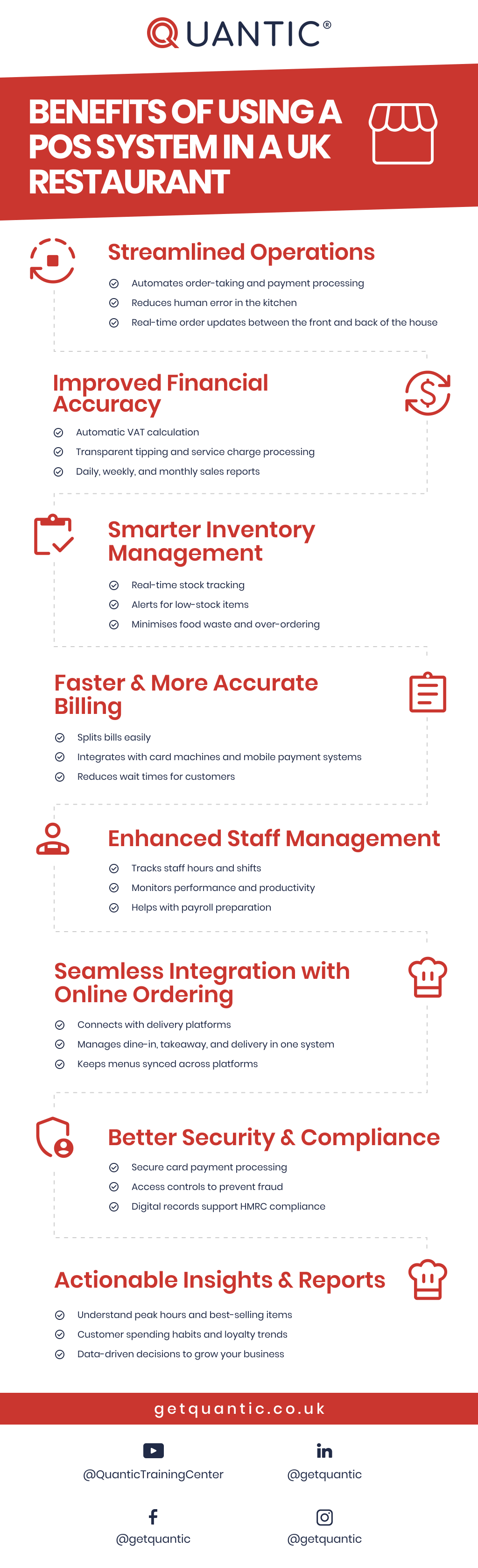
Benefits of Using a POS System in a UK Restaurant
Key Features to Look for in a POS System for UK Restaurants
Selecting a point-of-sale (POS) system for your restaurant involves more than just handling payments; it includes choosing a tool that facilitates all aspects of your business.
The following are crucial characteristics to consider when assessing point-of-sale (POS) systems for restaurants in the UK:
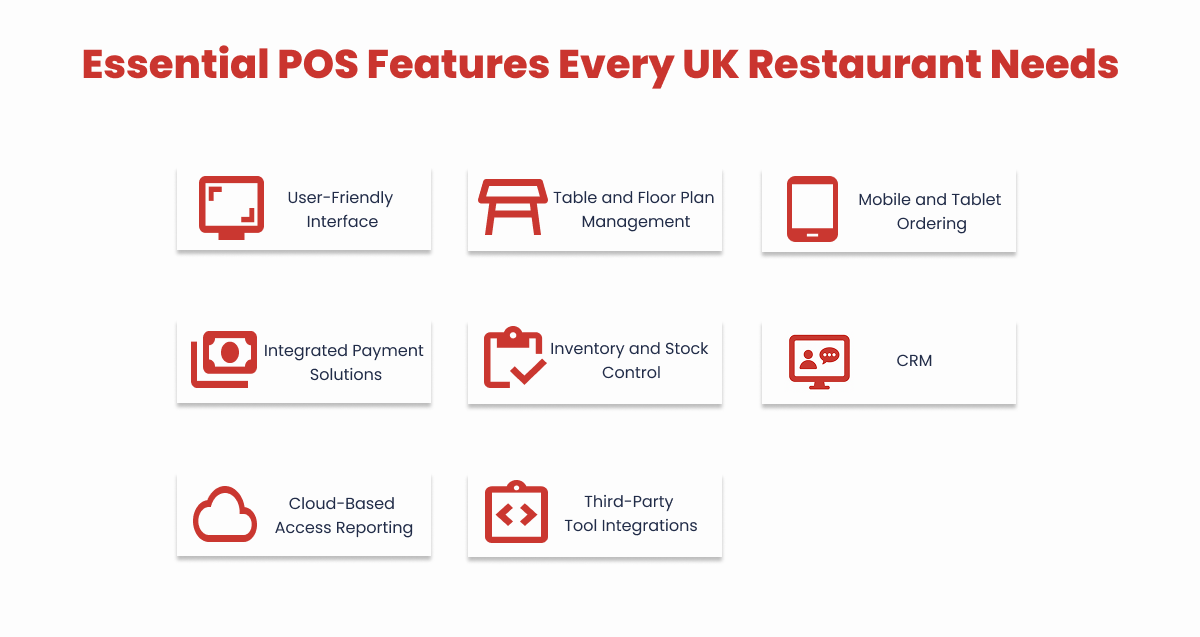
1. User-Friendly Interface
Your team should be able to quickly become familiar with the system, particularly in high-pressure service environments.
During busy shifts, a touchscreen-friendly design, short training time, and an intuitive layout can greatly increase productivity and lower order errors.
- Look for logical workflows, easy navigation, and short training periods.
- Simplifying order input is greatly aided by customisable menus and simple modifier setups.
2. Table and Floor Plan Management
For full-service restaurants to operate efficiently, table control is crucial.
A good POS system should allow you to assign servers efficiently, monitor table status in real time, and customise your floor plan.
This enhances the overall dining experience, maximises seating capacity, and reduces wait times.
- Managing server assignments, reservations, and seating is made easier with the use of visual floor plans.
- Easily move tables, handle multi-course dining, and keep track of open tabs.
3. Mobile and Tablet Ordering
Tableside ordering is rapidly becoming a standard in modern UK hospitality.
Staff members can send orders straight to the kitchen using tablets or mobile devices, reducing wait times and increasing order accuracy.
This improves the visitor experience, expedites service, and raises table turnover.
- Orders and payments can be taken at the table using tablets or other portable electronics.
- Speeds up table turnover and lowers order errors, particularly during busy times.
4. Integrated Payment Solutions
Customer satisfaction and a more effective checkout process are the outcomes of seamless payments.
Select a point-of-sale system that supports contactless payments, chip and PIN, and mobile wallets like Apple Pay and Google Pay, and that integrates easily with UK-based card readers.
Additionally, integration ensures fewer errors and quicker reconciliation.
- Contactless, chip and PIN, UK card machines, and mobile wallets (Apple Pay, Google Pay) must be supported.
- End-of-day reconciliation is made easier, and transaction times are shortened by integrated systems.
5. Inventory and Stock Control
Avoid unexpected stockouts and keep spending under control.
Low stock level alerts and comprehensive usage and waste reports are all features of a strong point-of-sale system.
This facilitates reordering, controls food expenses, and lessens overordering.
- tracking ingredients in real time as they are used in orders.
- Improved cost control through automated waste logging, supplier ordering, and low-stock alerts.
6. Customer Relationship Management (CRM)
To encourage loyalty and boost repeat business, use smart customer tools.
You should be able to manage loyalty programs, send targeted promotions, and track customer preferences with a good point-of-sale system.
Personalised service can greatly increase customer retention by fostering strong relationships.
- Keep track of visitor preferences, past purchases, and comments.
- Using your POS, create customised discounts, loyalty programs, and promotions.
7. Cloud-Based Access and Reporting
Manage your restaurant even when you’re not there.
You can keep an eye on staff performance, sales, and inventory in real time from any device with a cloud-based point-of-sale system.
Better decision-making is enabled by this remote access, which also keeps you in constant contact with your business.
- With cloud-based systems, you can use a desktop or mobile device to monitor performance from any location.
- For data-driven decision-making, create reports on sales, personnel, item popularity, and more.
8. Integrations with Third-Party Tools
Your point-of-sale system should be compatible with the rest of your technology stack.
Choose a point-of-sale system that works well with staff scheduling tools, online ordering platforms, accounting software, and delivery services.
These connections result in a more effective operation, save time, and lower manual error rates.
- Ensure compatibility with accounting software (such as Xero or QuickBooks), booking systems, employee scheduling tools, and delivery apps like Deliveroo and Just Eat.
- Workflows are streamlined, and administrative overhead is decreased with centralised data.
How to Choose the Right POS System: Step-by-Step Guide
Choosing the ideal point-of-sale system can be challenging, but the process becomes much easier when it’s broken down into smaller, manageable steps.
Here’s how to make your decision with confidence and clarity:
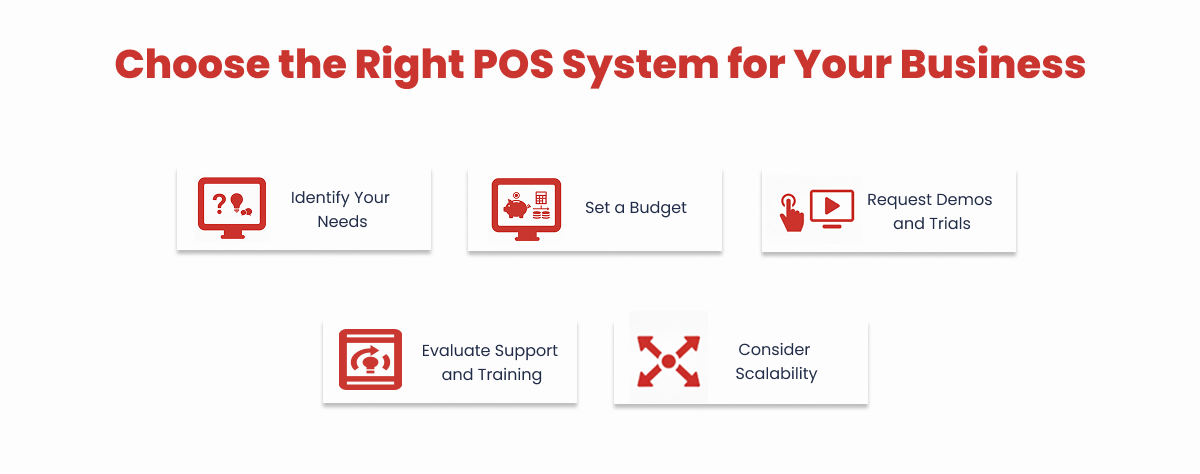
Step 1: Identify Your Needs
Understand your restaurant’s unique needs first. Think about your menu complexity, staff size, peak hours, and service type (delivery, takeaway, or dine-in).
Defining these requirements early helps in choosing a POS system that supports your daily operations and growth objectives.
- Service Model: Do you offer delivery, takeaway, dine-in, or a combination of these? Your POS system should handle all key workflows seamlessly.
- Staff Requirements: How many people will require access? Do you require role-based permissions or separate logins?
- Inventory Complexity: Do you keep track of menu-level stock or individual ingredients? While some POS systems are more basic, others provide advanced stock management features.
- Customer Experience: Will you provide online booking, tableside ordering, or loyalty programs?
Step 2: Set a Budget
Understand the initial and continuing expenses. Consider potential add-ons or integrations, hardware expenses, transaction fees, and monthly subscription costs.
The key to long-term value is selecting a POS that satisfies your operational requirements and your budget.
On average, UK restaurants spend around 2–4% of their annual revenue on technology, with POS being one of the top three investments.
- Monthly Fees: Although prices vary by provider and feature, cloud-based point-of-sale systems normally start at £29 per terminal per month.
- Hardware Costs: Tablets, card readers, printers, and kiosks are often sold separately. Be sure to verify the compatibility of your existing hardware.
- Add-ons and Integrations: Consider the cost of optional modules such as advanced reporting, delivery integration, and online ordering.
Step 3: Request Demos and Trials
Before you buy, take a test drive. To observe how the POS functions during actual business hours, ask for demos or free trials.
Engage your employees in the process to evaluate the system’s speed, usability, and fit with your restaurant’s workflow.
- Schedule Live Demos: Ask suppliers to walk you through the features that matter most to your eatery.
- Trial Periods: Use the trials to test the interface in a real-world environment.
- Staff Feedback: Consult your kitchen and front desk employees. Since they will be using the system daily, their input is essential.
Step 4: Evaluate Support and Training
Strong support is necessary for even the best point-of-sale system.
Seek out companies that provide thorough onboarding, 24/7 UK-based customer support, and resources for continuous employee training.
Reliable support ensures little downtime and keeps your team productive and self-assured.
- Customer Support: Look for 24/7 UK-based support, especially if your restaurant operates late hours or on weekends.
- Onboarding and Training: Verify whether the supplier provides setup support, staff training, and a help resource library.
- Updates and Maintenance: To stay current with compliance and feature enhancements, confirm that the provider updates the system daily.
Step 5: Consider Scalability
Consider the long term. Whether you open new locations, add new menu items, or introduce new sales channels like delivery or catering, your point-of-sale system should grow with your restaurant.
To prevent future expensive migrations, pick a solution that offers user permissions, multi-location management, and flexible integration.
- Multi-Location Support: Thinking about franchising or opening a second location? Make sure your POS system can support your growth.
- Omnichannel Readiness: As your offerings expand, will it be able to work with click-and-collect, online ordering, or third-party delivery apps?
- Customisation and Flexibility: Is the system capable of adapting to changes in service, menus, or promotions?